Your resume header is the first thing recruiters see, and the first place where Applicant Tracking Systems look for critical information. With 99% of Fortune 500 companies using ATS systems and recruiters spending only 7.4 seconds reviewing each resume, getting your header wrong could mean instant rejection before anyone reads your qualifications.
In this guide you'll learn:
- What information you should include in your resume header (and what you shouldn't)
- A step-by-step guide on how to write your resume header
- Common resume header mistakes that get applications rejected
- Professional resume header examples you can adapt
What To Include In a Resume Header
A resume header is the section at the top of your resume containing your name and contact information. It tells recruiters and hiring managers who they are hiring and how to reach them if they want to schedule an interview.
Despite its simplicity, the resume header is where many job seekers make formatting mistakes that confuse ATS systems or create unprofessional first impressions.
A professional resume header includes:
- Full name
- Phone number
- Professional email address
- City and state (or country for international applications)
- LinkedIn profile URL (optional but recommended)
- Portfolio or personal website (if relevant to your industry)
What doesn't belong in your header:
- Full street address (privacy concern and outdated practice)
- Unprofessional email addresses (e.g. cool_max82@aol.com)
- Multiple phone numbers
- Social media links unrelated to your profession
- Photos (unless applying in countries where they're standard)
- Age, marital status, or other personal details
Note: These recommendations are for the US job market. If you are applying to jobs in a different country, you should consult the local customs and traditions.
How to Create a Resume Header
1. Choose Your Name Format
Your name should be the most prominent text in your header. Use your full professional name—the one you use in professional settings and on LinkedIn.
Best practices:
- Use 16-20pt font size (larger than your body text)
- Bold your name to make it stand out
- Avoid nicknames unless that's how you're professionally known
- Include credentials only if they're directly relevant (e.g., "Jane Smith, CPA" or "John Doe, PhD")
Example:
SARAH JOHNSON
2. Add Your Phone Number
Include one phone number where recruiters can reliably reach you. Make sure your voicemail is professional and has space for new messages.
Format options:
- (555) 123-4567
- 555-123-4567
- 555.123.4567
All three formats work with ATS systems. Choose one and use it consistently across all application materials.
Pro tip: If you're applying internationally, include your country code: +1 (555) 123-4567
3. Create a Professional Email Address
Your email address should be simple, professional, and easy to type. Hiring managers will use this to send interview invitations and follow-up communications.
Professional format:
Avoid:
- Nicknames (partygirl2024@email.com)
- Numbers that look like birth years (john1985@email.com)
- Outdated email providers that suggest you haven't updated your contact info in years
Create a dedicated job search email if your current address isn't professional. Gmail, Outlook, and ProtonMail are all acceptable providers.
4. Include Location
You don't need your full street address on your resume- it's a privacy risk and takes up valuable space. City and state (or city and country for international applications) is sufficient.
Format examples:
- Austin, TX
- Toronto, ON, Canada
- Remote (if you're specifically seeking remote positions)
- San Francisco, CA (Open to relocation)
Why location matters: Recruiters use location to assess commute feasibility, time zone compatibility, and whether relocation assistance might be needed. ATS systems often filter candidates by location, so include it even if you're willing to relocate.
5. Add Your LinkedIn Profile URL
A LinkedIn profile link is now standard practice for most professional roles. It gives recruiters additional context about your experience and shows you maintain an active professional presence.
How to customize your LinkedIn URL:
- Go to your LinkedIn profile (by clicking on the 'Me' icon on the top right)
- Click "Edit" (pencil icon) next to your name
- Then click on "Edit contact info"
- Customize your URL to: linkedin.com/in/yourname
- Use this shortened URL on your resume
Format on resume:
- linkedin.com/in/sarahjohnson (without the https://)
- Keep it simple and readable
Important: Make sure your LinkedIn profile is updated and consistent with your resume before including the link. Discrepancies between your resume and LinkedIn profile raise red flags for recruiters.
6. Include Portfolio or Website Links
For certain industries like design, software engineering, writing, marketing, photography- a portfolio link is essential. For others, it's optional but can strengthen your application.
Include a portfolio link if:
- Your work is visual or requires demonstration (designers, software developers, writers)
- You have a personal brand or thought leadership presence
- The job description specifically requests work samples
- Your website showcases relevant projects or case studies
Format:
- yourname.com
- github.com/yourname (for developers)
- behance.net/yourname (for designers)
Don't include:
- Personal blogs unrelated to your profession
- Social media accounts (unless you're in social media marketing)
- Links to incomplete or outdated portfolios
Resume Header Formatting
Typically resume headers follow 3 layouts:
1. Standard Header Layout
This centered format is the most common and looks professional. It is also the safest to use for ATS compatibility.

2. Left-Aligned Header Layout
Some job seekers prefer left-aligned headers, which also work well with ATS:

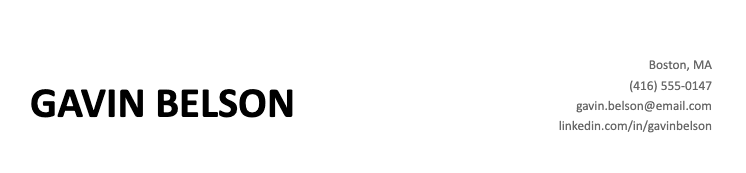
3. Two-Column Header Layout
Two-column headers can look modern but may confuse some ATS systems. Only use this format if you're certain the company uses modern ATS software:
Common Resume Header Mistakes to Avoid
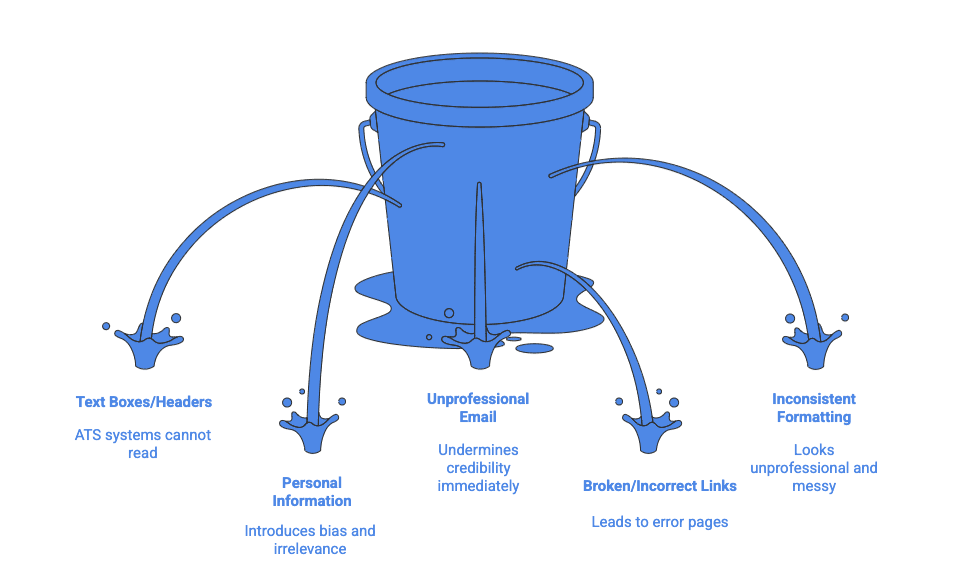
Mistake #1: Using Text Boxes or Headers/Footers
Why it's a problem: Many ATS systems can't read text inside text boxes, headers, or footers. Your contact information might be completely invisible to the system.
Solution: Place your header in the main body of your document using standard text formatting.
Mistake #2: Including Unnecessary Personal Information
What to avoid:
- Date of birth or age
- Marital status
- Social Security number
- Religious affiliation
- Political affiliations
- Physical characteristics
Why: This information isn't relevant to your qualifications and can introduce unconscious bias. In many countries, including this information violates employment discrimination laws.
Mistake #3: Unprofessional Email Addresses
Email addresses like "partyking2024@email.com" or "hotchick85@email.com" immediately undermine your credibility. Hiring managers report that unprofessional email addresses are one of the top reasons they reject candidates.
Quick fix: Create a new email address using your name. It takes five minutes and dramatically improves your professional image.
Mistake #4: Broken or Incorrect Links
Common issues:
- LinkedIn URLs that lead to error pages
- Portfolio links that go to "under construction" pages
- Typos in email addresses or phone numbers
Solution: Test every link before submitting your resume. Send yourself a test email. Call your phone number to verify it's correct.
Mistake #5: Inconsistent Formatting
Using different fonts, sizes, or styles within your header looks unprofessional.
Best practice: Use the same font throughout your header (and ideally throughout your entire resume). Stick to standard fonts like Arial, Calibri, or Helvetica.
Resume Header Examples
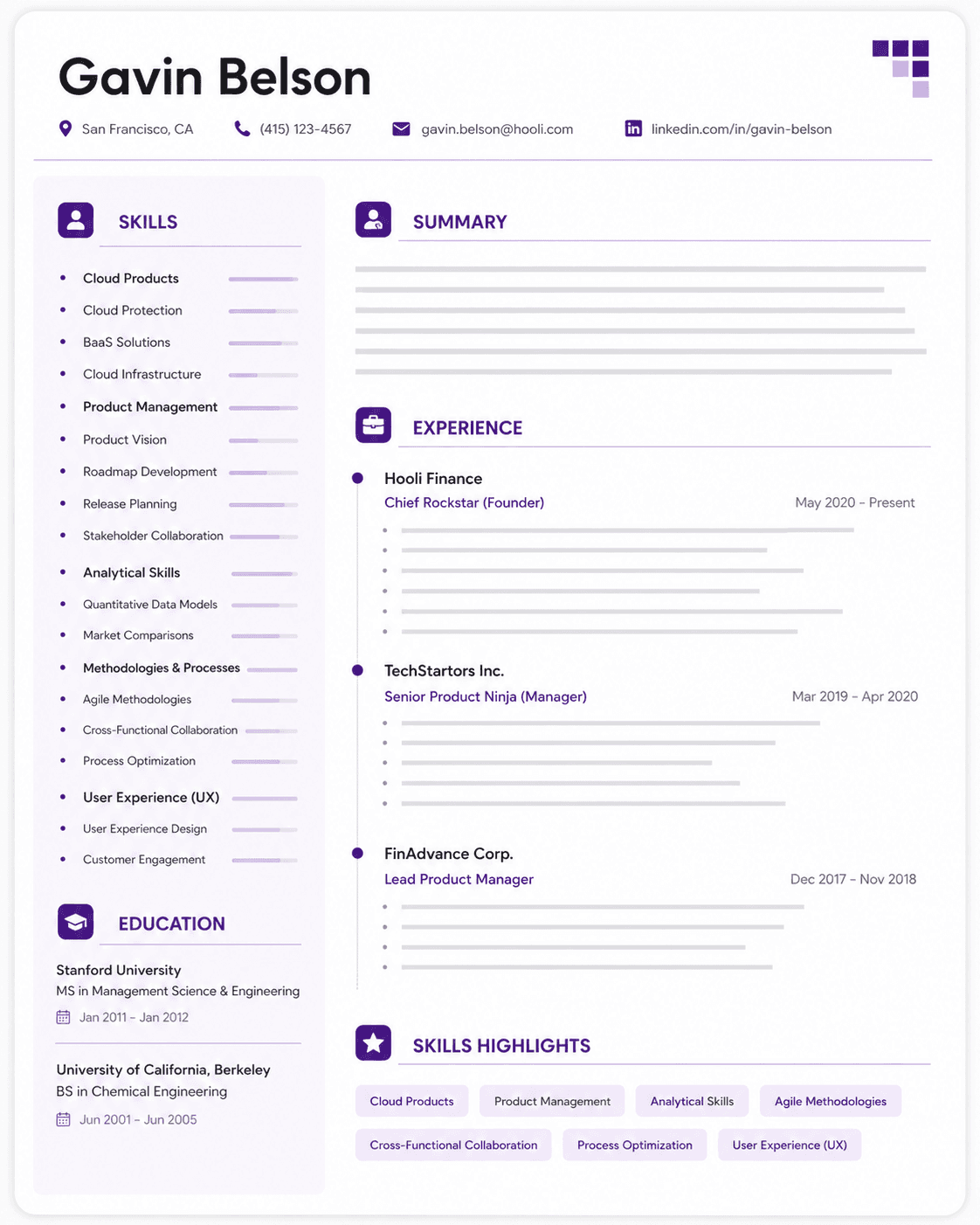
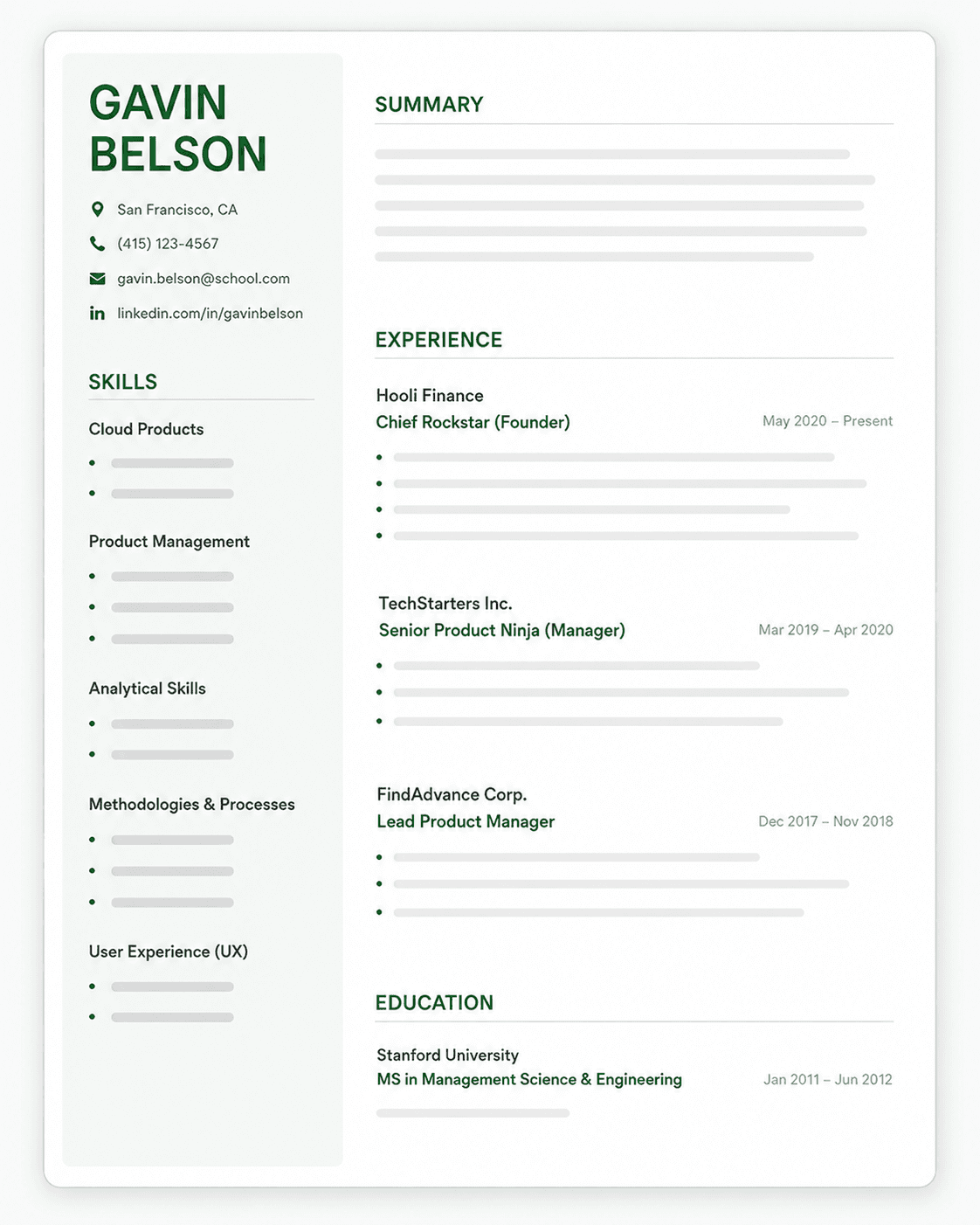
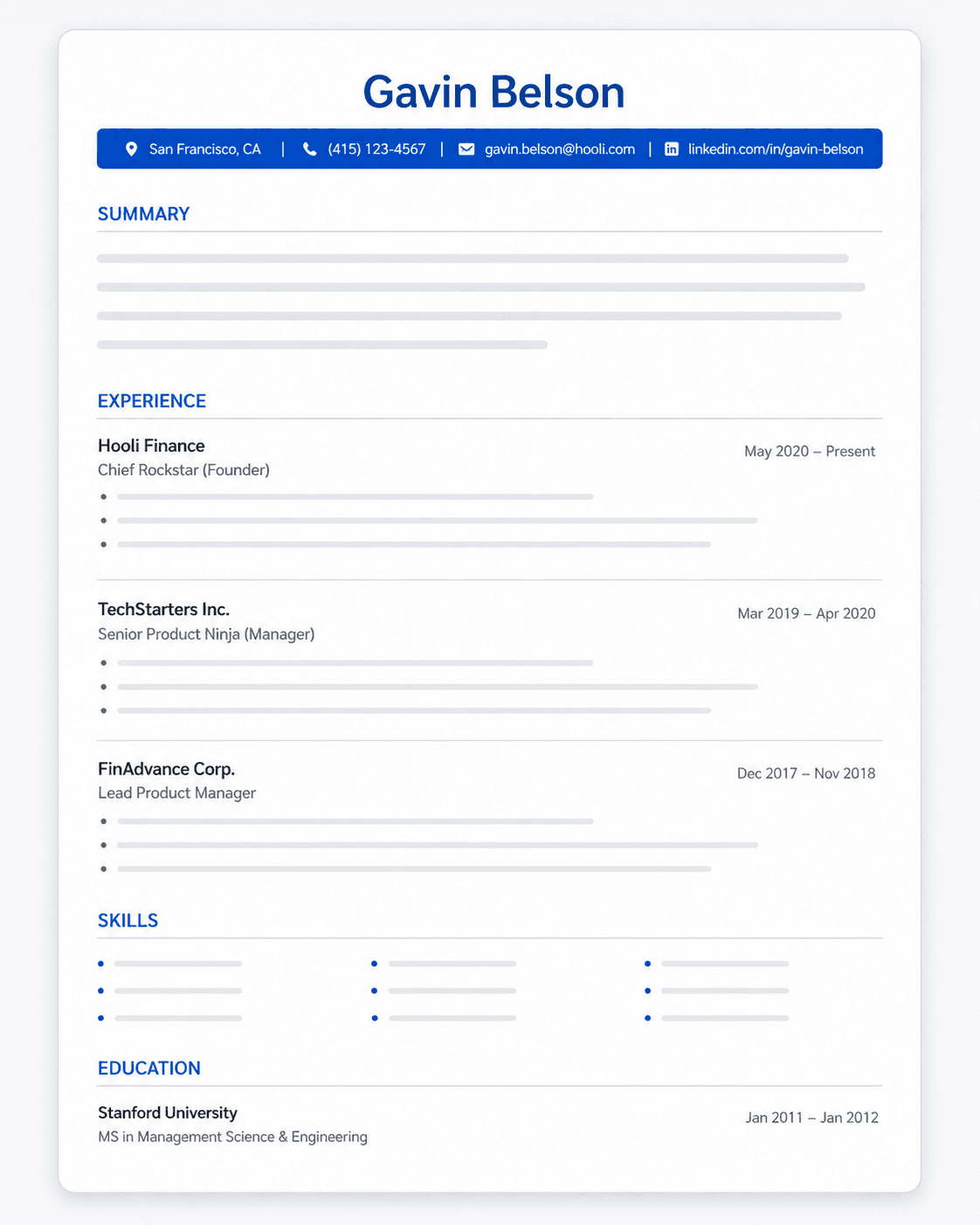
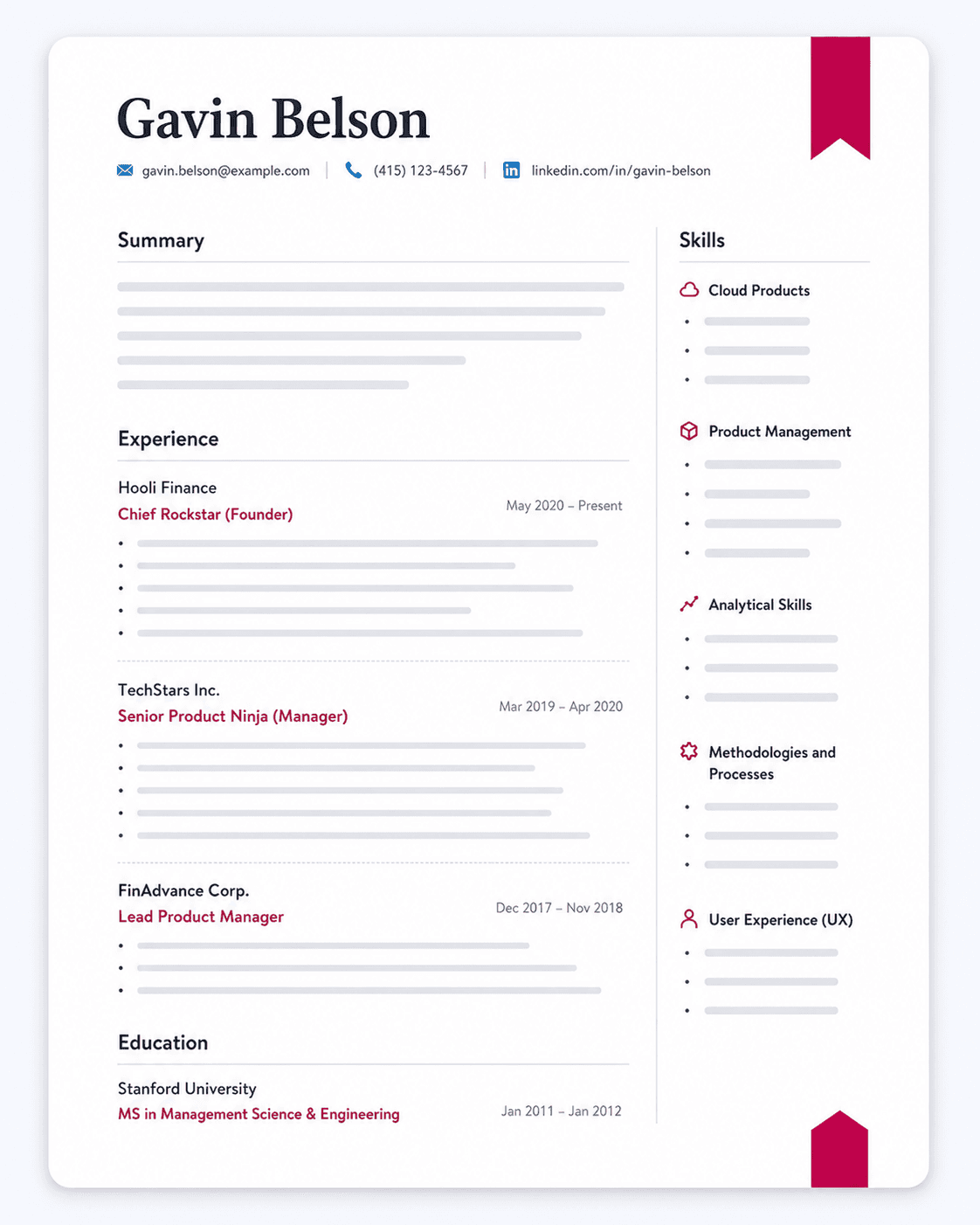
Below, you will find some of the most popular resume templates illustrating how the header is structured.
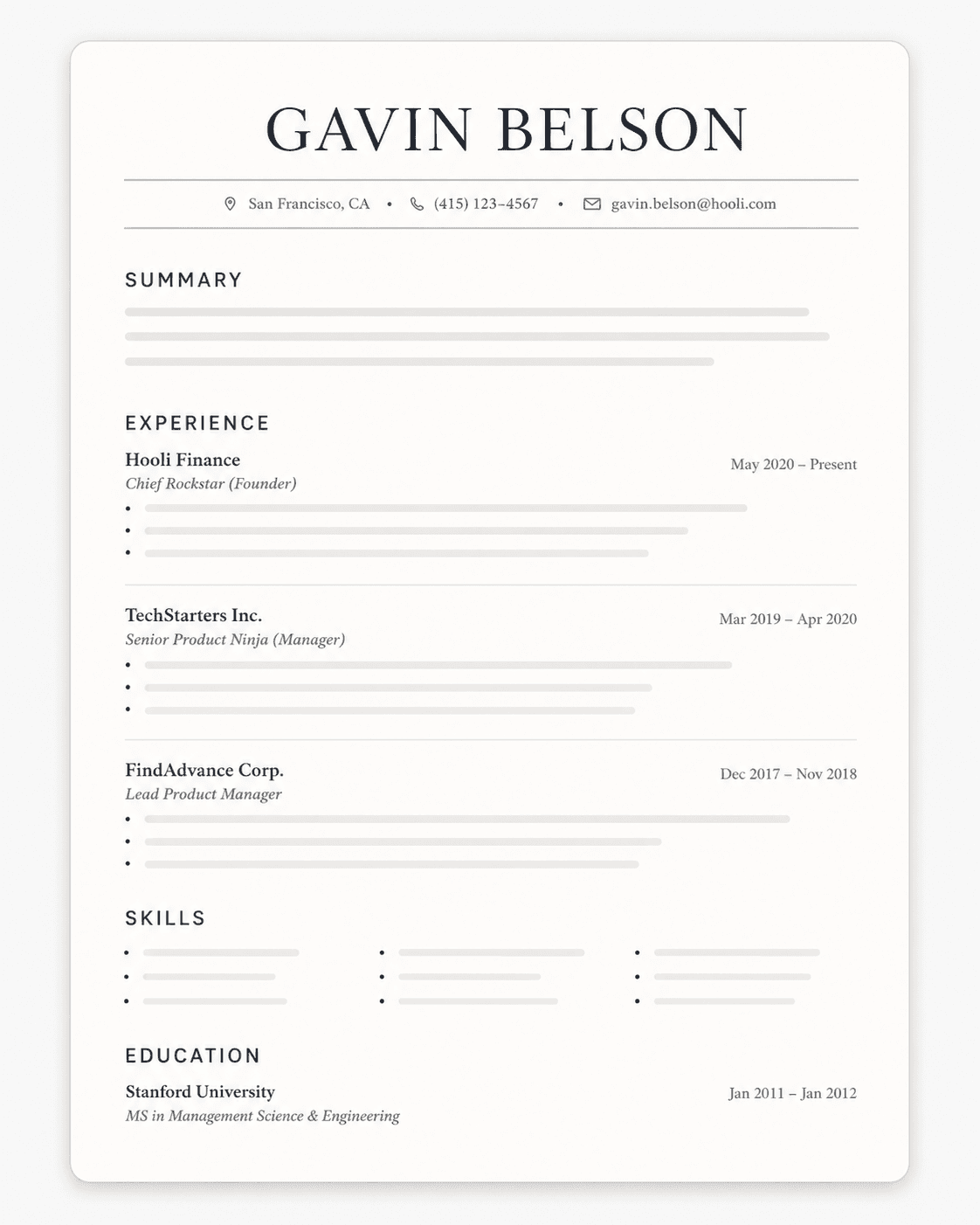
1. Professional Resume Template
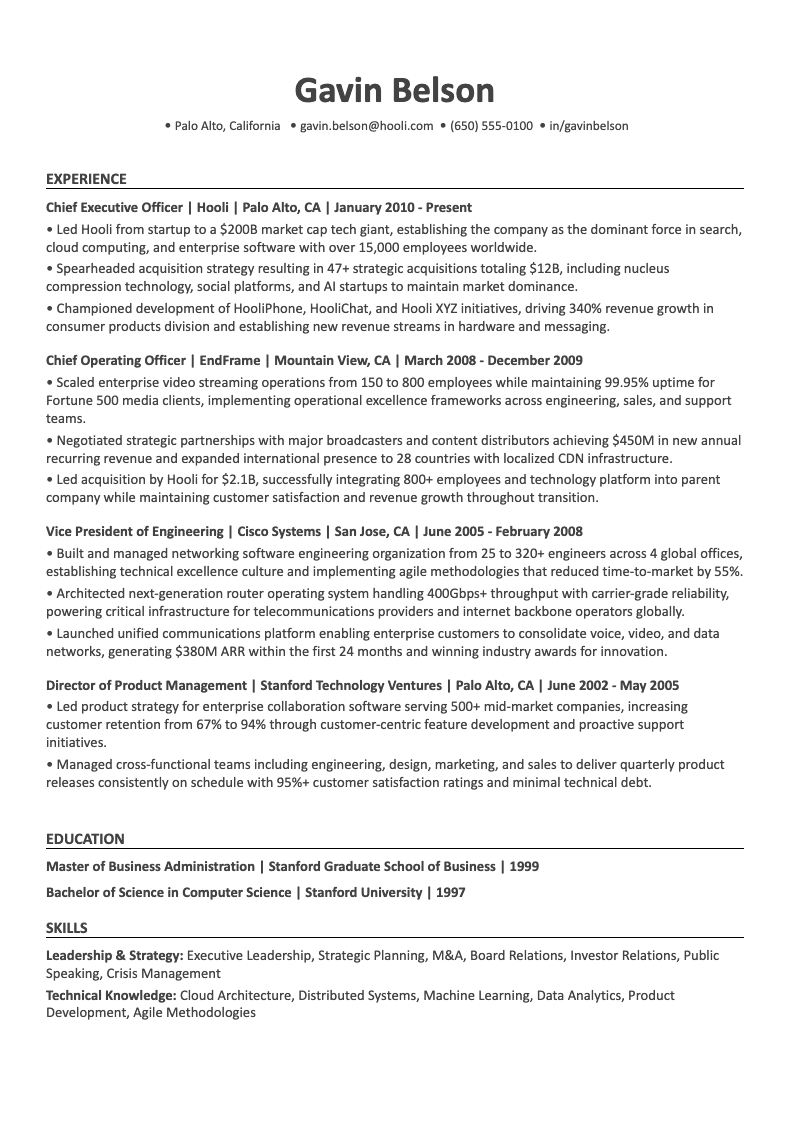
Who Should Use the Professional Resume Template?
This template is best for candidates seeking corporate roles, finance, consulting, business operations, and project management roles.
2. Simple Resume Template
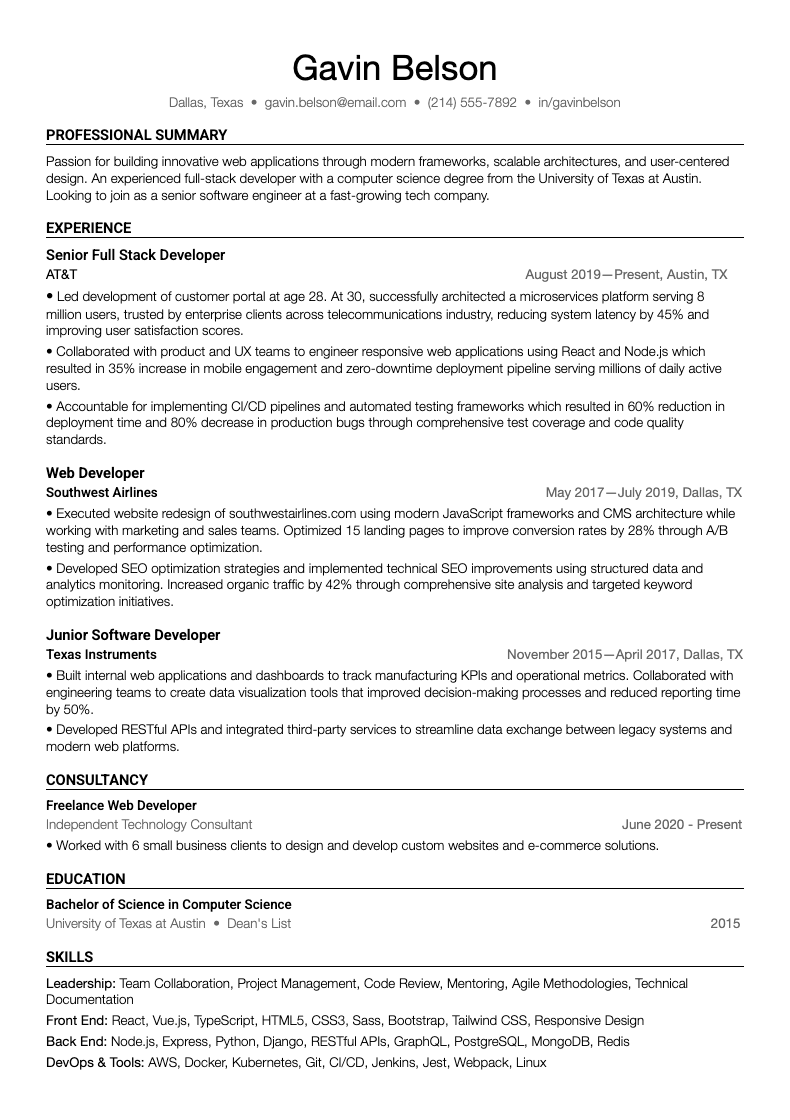
Who Should Use the Simple Resume Template?
This template is ideal for entry-level roles, career changers, applicants with straightforward career paths, and industries preferring conservative presentation.
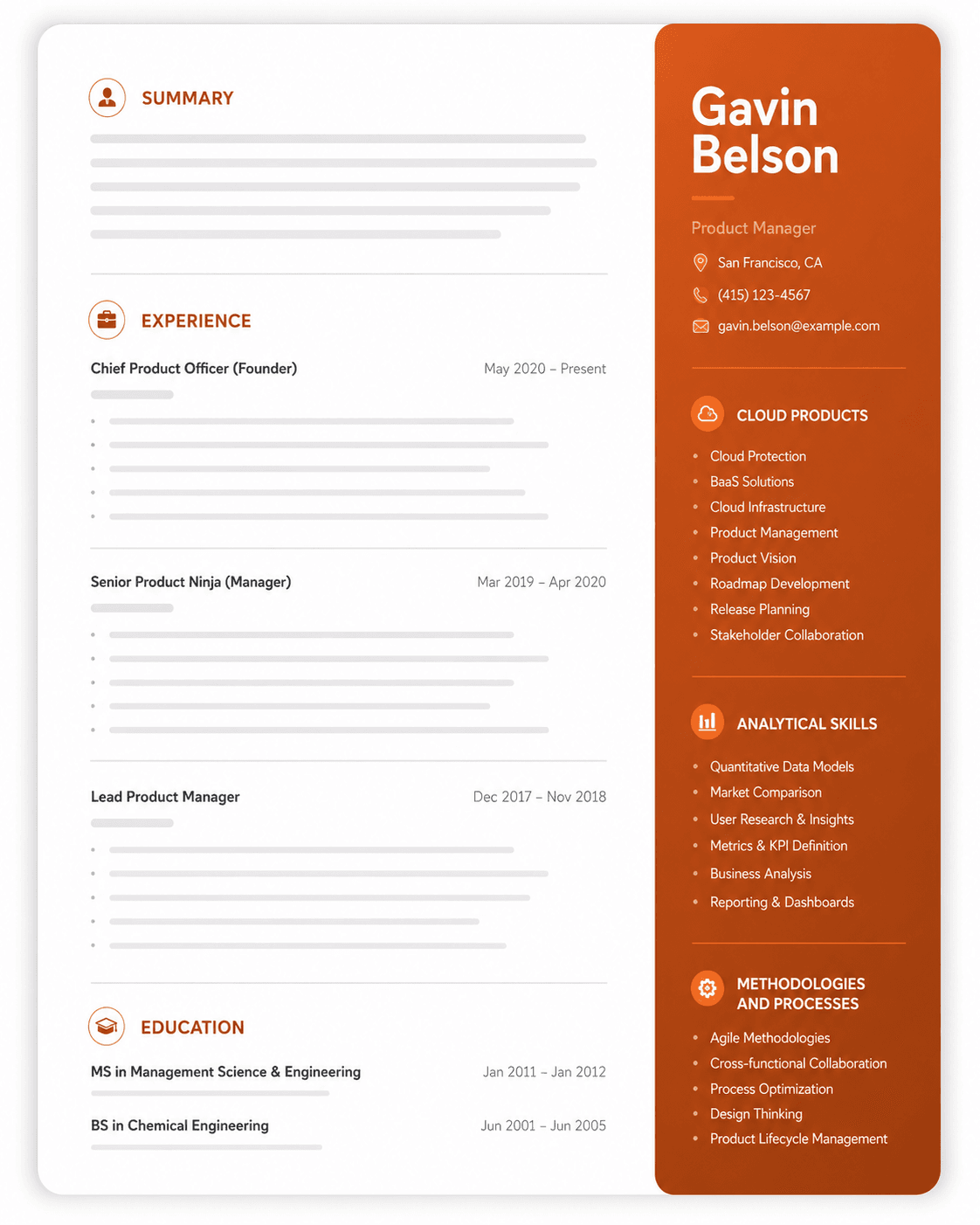
3. Modern Resume Template
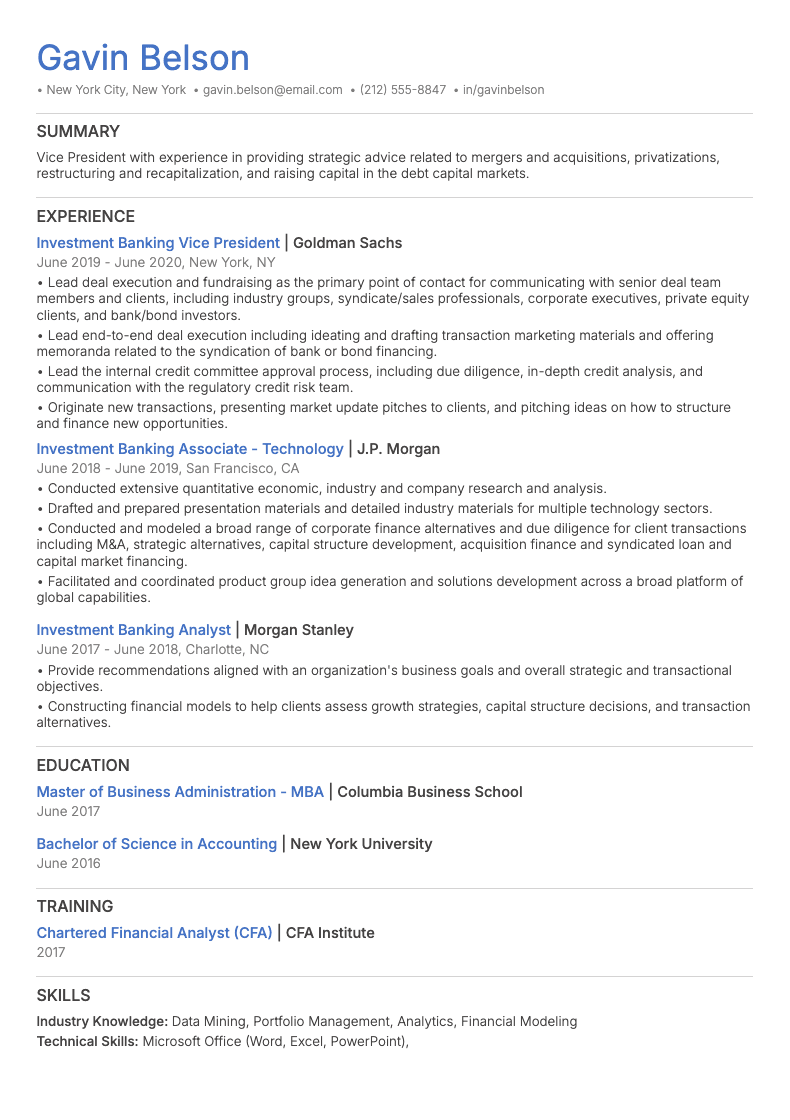
Who Should Use the Modern Resume Template?
This template is best for tech companies, creative agencies, startups, marketing roles, and design positions.
4. Creative Resume Template
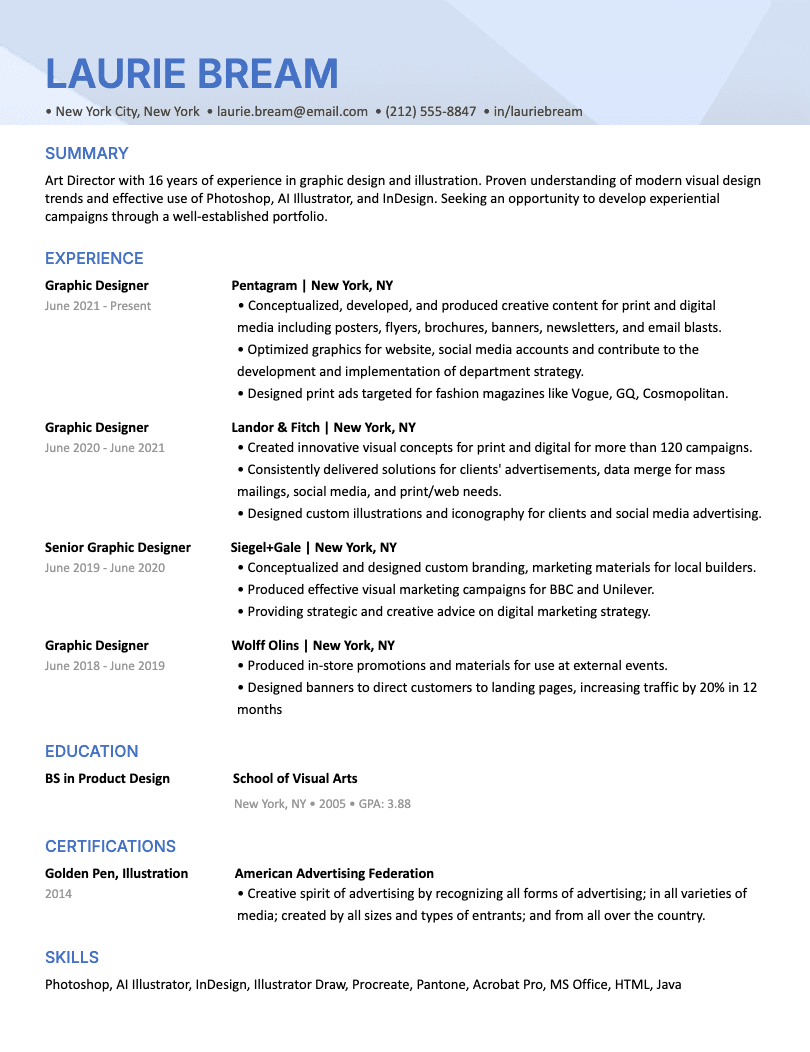
Who Should Use the Creative Resume Template?
This template is best suited for candidates seeking design roles, creative positions, or positions in marketing, advertising, or media.
5. Technical ATS Resume Template
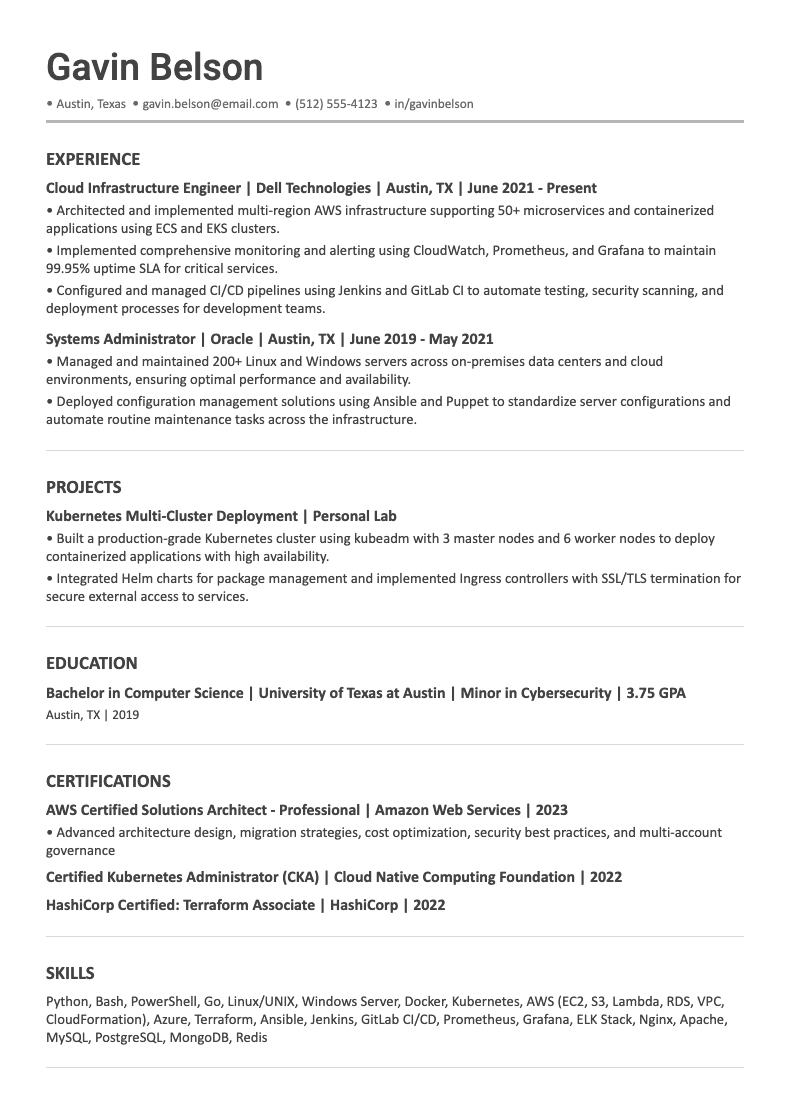
Who Should Use the Technical Resume Template?
This template is ideal for software engineers, data scientists, IT professionals, cybersecurity specialists, and technical architects.
Additional Examples
Refer to our ATS Resume Examples guide which contains over 20 resume templates across different industries and career levels along with free sources for downloading ATS-friendly resume templates.
Resume Header Checklist
Use this checklist to verify your resume header is optimized for both ATS and human reviewers:
Contact Information:
- Full professional name (no nicknames)
- One phone number with professional voicemail
- Professional email address (firstname.lastname format)
- City and state/province (no full street address)
- Customized LinkedIn URL (if you have an active profile)
- Portfolio/website link (only if relevant to your industry)
Formatting:
- Header is in the main document body (not in header/footer section)
- No text boxes, tables, or columns that might confuse ATS
- Consistent font throughout header (Arial, Calibri, or Helvetica recommended)
- Name is larger and bolder than other header text
- Contact details use standard separators (| or line breaks)
- All links are tested and working
What's NOT Included:
- No full street address
- No unprofessional email addresses
- No personal information (age, marital status, photo)
- No broken or outdated links
- No irrelevant social media profiles
Final Check:
- Information matches your LinkedIn profile exactly
- Phone number and email are correct (test them!)
- Header takes up no more than 10% of page space
- Format is clean and easy to read at a glance